How do I access the climate controls in my Lincoln?
You can adjust your cabin temperature using the SYNC®* system or physical knobs, depending on how your vehicle is equipped.
Changing Your Vehicle's Cabin Temperature
Select your SYNC generation from the following drop-down options to learn how to modify the heat and air conditioning temperature settings in your vehicle. If you need assistance identifying your SYNC generation, select the first drop-down option.
Identifying Your SYNC Generation
Select a resource in the table below to help you identify your vehicle's SYNC generation.
| Resources | Instructions |
| SYNC and Navigation Updates page | Either:
Your SYNC generation will appear on the right side of the page under the “SYNC Current Version” heading. |
| SYNC Visual Reference Guide | View example images of SYNC generations that Lincoln has offered. |
Digital Experience
To access climate controls in Digital Experience:
Select the person sitting icon in the middle of your vehicle's Digital Experience screen.

Tap the power button icon.

Note: Several climate-control options (e.g., air conditioning, heated/cool seats, rear temperature control, etc.) are available. For specific climate-control instructions, check your vehicle's Owner's Manual.
SYNC 4
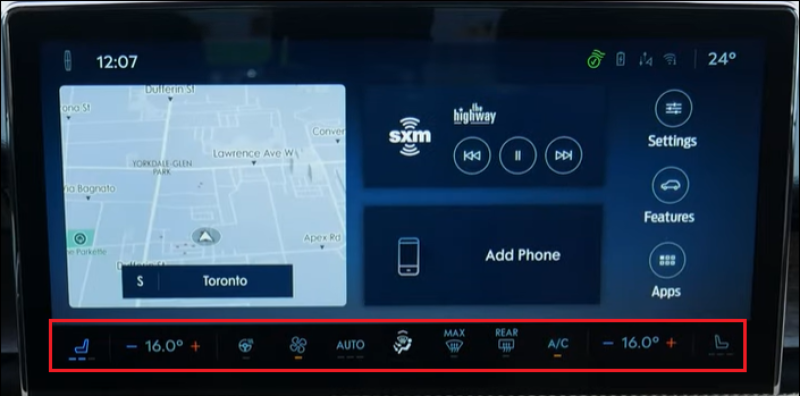
Select the climate controls along the bottom of the Home screen to change the cabin temperature in your SYNC 4-equipped vehicle.
SYNC 3
To access climate controls with SYNC 3, tap the Climate icon on your vehicle's SYNC screen.

Note: Several climate-control options (e.g., air conditioning, heated/cool seats, rear temperature control, etc.) are available. For specific climate-control instructions, check your vehicle's Owner's Manual.
SYNC with MyLincoln Touch™
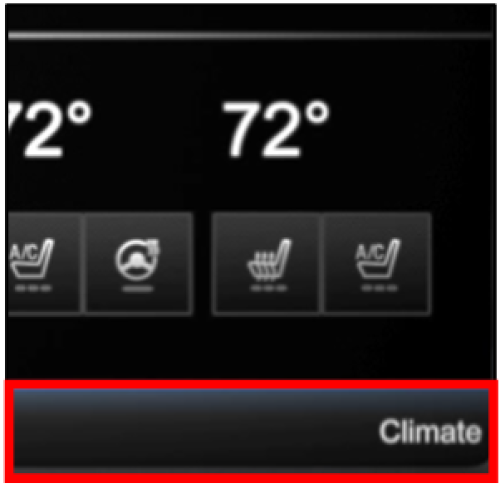
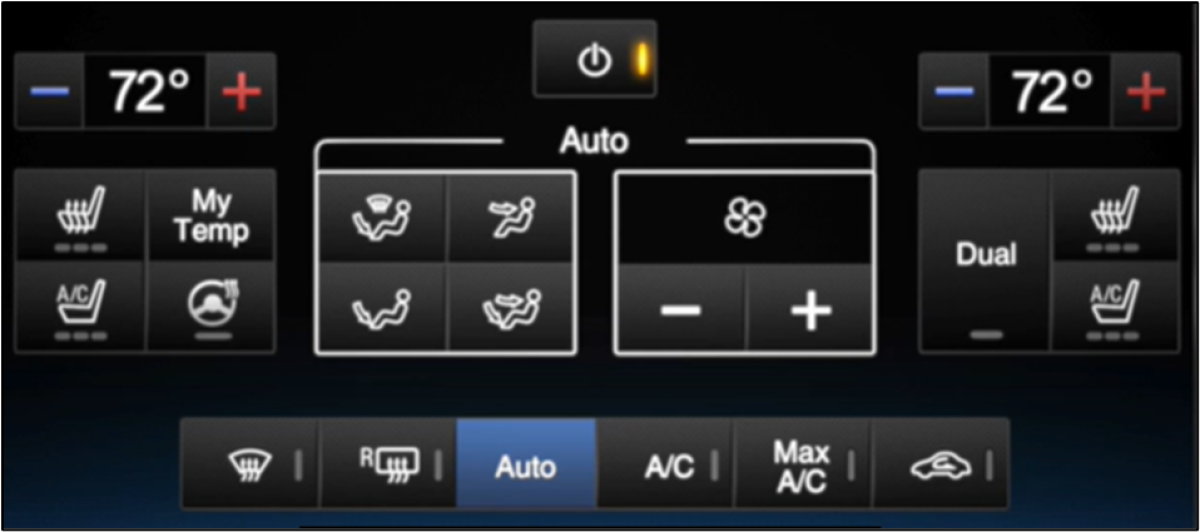
To access climate controls using SYNC with MyLincoln Touch, tap the Climate bar on the bottom of your vehicle's SYNC screen.
Note: Several climate-control options (e.g., air conditioning, heated/cool seats, rear temperature control, etc.) are available. For specific climate-control instructions, check your vehicle's Owner's Manual.
If additional information is needed, refer to your vehicle's Owner's Manual.
*Don't drive while distracted or while using handheld devices. Use voice-operated systems when possible. Some features may be locked out while the vehicle is in gear. Not all features are compatible with all phones.